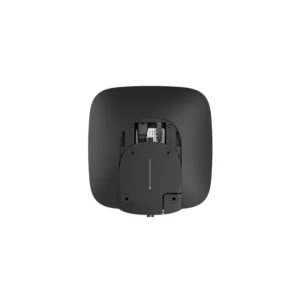
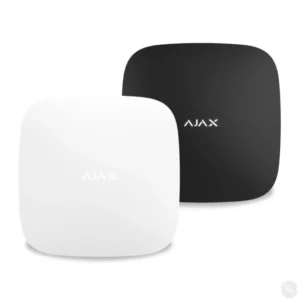
AJAX HUB 4G Jeweller Control Panel (White)

The AJAX HUB 4G Jeweller Control Panel in white is the central unit of a wireless alarm system from AJAX. It serves as the brain of the installation: every sensor, detector, keypad and accessory in the system reports to the hub, and the hub decides what happens next, such as sounding an alarm, sending a notification or logging an event.
Wireless systems are popular because they can be installed quickly and changed later without drilling through walls for cable runs. The hub is the starting point for this kind of setup. Once it is in place, additional devices can be paired with it and managed from one place, which keeps the system easy to understand for both installers and end users.
Key features
- Central control panel of the AJAX wireless alarm system
- Jeweller wireless communication between the hub and connected devices
- 4G mobile connection, as indicated by the HUB 4G name
- White colour version, identified by the (W) code in the article number
- Designed to manage sensors, keypads, panic buttons and other AJAX accessories
Specifications and identification
- Product: AJAX HUB 4G – Jeweller
- Colour: White
- Article number: A-HUB 4G (W)
- Brand: AJAX
- Category: Alarm Systems, Control Panels
Detailed technical data such as dimensions, weight, power requirements and the exact list of supported devices should be confirmed with the manufacturer’s documentation before purchase.
Typical uses
The AJAX HUB 4G Jeweller is suited to a range of settings where a flexible, wireless alarm system is needed. In private homes it can protect entrances, living areas and outbuildings, and the white finish helps it sit unobtrusively on light-coloured walls. In small offices, shops and storage rooms it offers a way to monitor doors and windows and to get alerts when something changes, without a complex cabling project.
Installers often choose the hub when extending an existing AJAX system or when building a new one around a particular set of sensors. Because all devices share the same hub, users can add or reposition components as their needs change, which is useful in premises that are renovated or reorganised over time.
Setup and planning
Before installing, plan where the hub will sit. It should be in a location that allows reliable communication with the devices it controls and a stable mobile signal for its 4G connection. Consider how the hub will be powered, how the system will be armed and disarmed day to day, and which users need access through the app or keypads.
A well planned system starts with a clear list of what needs to be protected. Map the entry points and areas that matter most, then choose sensors and accessories to match. The hub can then be configured to suit the routines of the household or business.
Ordering notes
Confirm that the accessories you plan to use are compatible with the AJAX Jeweller system. If you are unsure which combination of devices fits your site, ask for advice before ordering so that the final installation works smoothly from the start.