AJAX Single Panic Button Black & White
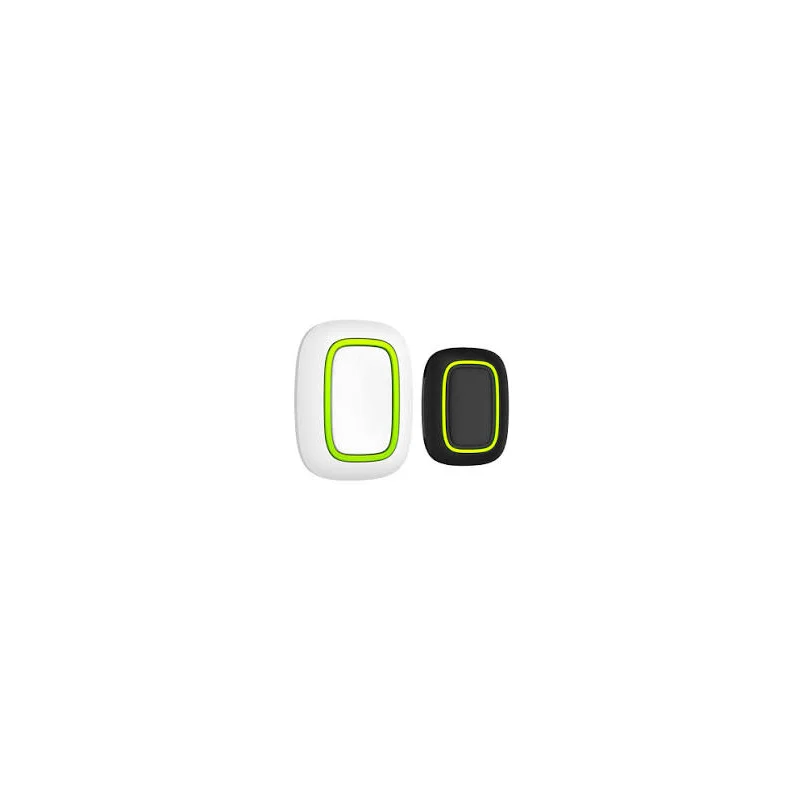
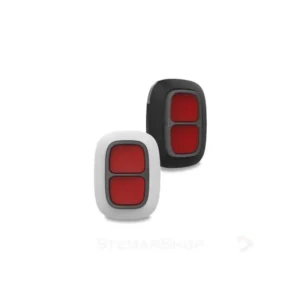
The AJAX Single Panic Button Black & White is a manual alarm trigger from the AJAX alarm system range. It is designed for situations where a person needs to raise the alarm immediately, for example in an emergency or when they feel threatened. Pressing the button sends an alarm signal to the AJAX system, which allows the alarm to respond as it has been set up to do.
This model is supplied in a black and white colour version. The colour option lets you match the device to the other components in your installation, so the system looks consistent throughout the property. It is part of a family of AJAX wireless devices that are intended to be used together.
Key features
- Single panic button for manual alarm activation
- Black and white colour version
- Part of the AJAX wireless alarm system range
- Designed to be used alongside other AJAX hubs, keypads and sensors
- Simple one-press operation for quick use
Product details
This listing covers one panic button in the black and white finish. For full technical information such as range, power source, mounting method and compatibility with specific AJAX hub models, please refer to the official AJAX documentation before installation.
Typical uses
Panic buttons are commonly placed in areas where a fast manual alarm is useful. Typical locations include:
- Near the front or back door of a home or office
- Beside a bed, sofa or chair for people who may need help at night
- At a reception desk or customer service counter
- In a shop, bank or other business where staff may need a silent alert
- In a care setting or an area used by vulnerable people
Why choose a panic button
A panic button gives people a direct and simple way to call for help. Unlike a keypad, it does not require a code, so it can be used quickly by anyone who is familiar with the device. This makes it a useful addition to a security plan, especially where several people use the same space.
Because the button is a separate device, it can be placed where it is most useful rather than only at the main control point. Many users add one or more panic buttons to cover the places where they feel most at risk.
Planning and placement
Before fitting the button, think about who will use it and where they are most likely to be when they need help. Choose a spot that is easy to reach but not so exposed that the button could be pressed by accident. Make sure the location is within the operating range of your AJAX hub, and test the button after installation to confirm that it sends an alarm as expected.
If you are adding this device to an existing AJAX system, check that the hub supports this model and that the firmware is up to date. If you are building a new system, plan the placement of all devices together so that the hub, keypads, sensors and panic buttons work well as one installation.
Who this product is for
This panic button suits homeowners, landlords, small business owners, facilities managers and anyone who wants a simple manual alarm option within an AJAX setup. It is also a sensible choice for people who want a colour that matches the rest of their AJAX components.
Ask the supplier or a qualified installer if you are unsure how the button should be connected or configured. Keep the product manual with your records and follow the instructions for testing the alarm regularly.