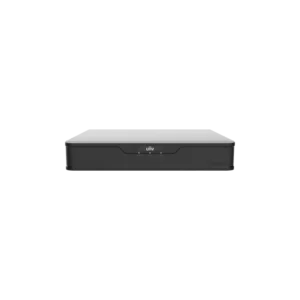
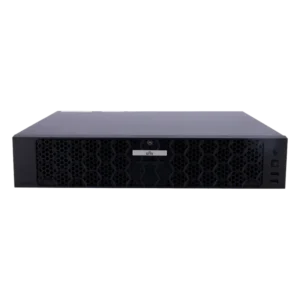
UNIVIEW NVR PRO 64 CH 16 SATA Bay NON
The UNIVIEW NVR PRO 64 CH 16 SATA Bay NON is a network video recorder, usually called an NVR, designed for professional CCTV installations. An NVR receives digital video streams from IP cameras over a network and records them to internal storage. Instead of separate analogue recorders for each camera, one unit can collect and store footage from many cameras at once.
The UNIVIEW NVR PRO series is aimed at larger systems. The model name shows the main capacity figures: 64 channels for connecting up to 64 cameras, and 16 SATA bays for installing hard drives. The supplier describes the unit as premium and engineered for CCTV use, placing it in the upper part of the range for recording and storage.
Key features and specifications
- Model: NVR PRO 64 CH 16 SATA Bay NON
- Brand: UNIVIEW
- Type: Network video recorder (NVR) for CCTV
- Channels: 64
- Storage: 16 SATA bays for hard drives
- Article number: UN-NVR516-64
Recording and storage
The 16 SATA bays give the recorder room for a large amount of storage. Recording time depends on the number of cameras, their resolution and frame rate, the compression used and the total drive capacity fitted. Planning the storage early helps ensure that footage is kept for the period your site requires. Drives are not described in the supplier information, so confirm the drive type and capacity separately.
Typical uses
This NVR is intended for sites that need a central recording point for a large camera network. Typical examples include:
- Commercial premises such as offices, shops and retail units
- Warehouses, logistics centres and industrial sites
- Car parks, campuses and public areas with many cameras
- Upgrades to an existing CCTV system that needs more channels
Installation and planning
Before installing, count the cameras you plan to connect and make sure the total stays within the 64-channel limit. Check that your network can carry the video traffic from all cameras, and plan power and mounting in a secure, ventilated location. Keeping the recorder in a protected room helps protect the footage from tampering or damage.
Points to check before ordering
The supplier description ends with the word NON, which is not explained in the product information. Confirm the exact model variant with your supplier if it matters for your project. Also confirm which cameras, software versions, drives and accessories you need, as these details are not included in the listing.
If you are unsure whether this recorder fits your system, contact us with a list of your cameras and your storage requirements. We can help you check the basics so the system you install meets your needs.