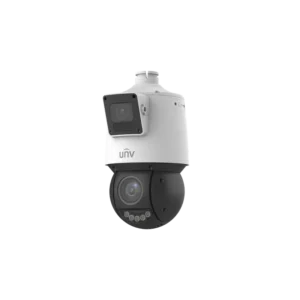
Uniview 4MP + 4MP LightHunter Dual-Lens Network PTZ Multiview IR Camera
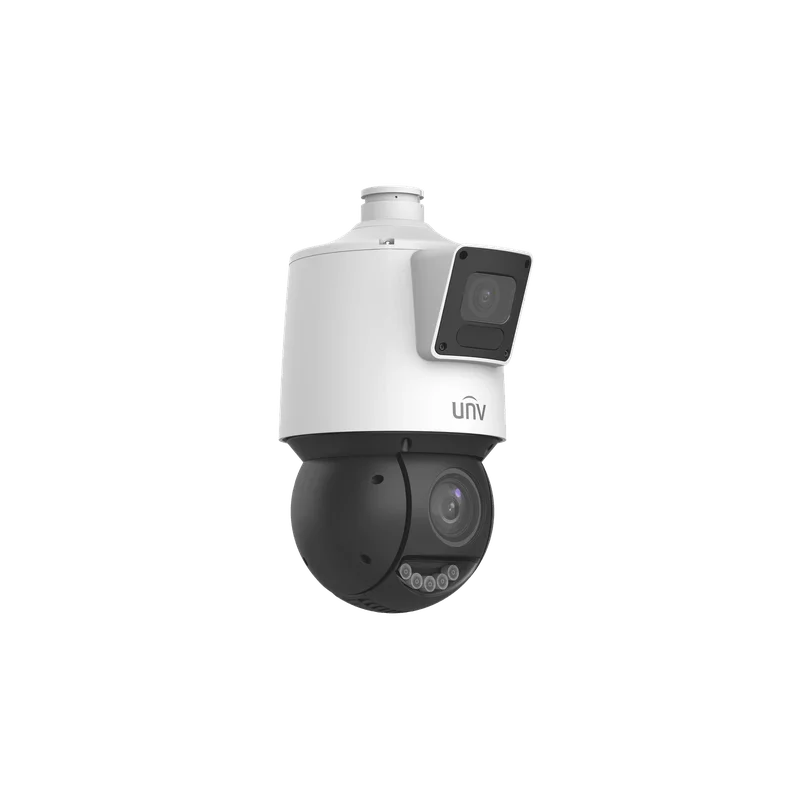
The Uniview IPC94144SR-X25-F40C is a network PTZ camera that combines two 4MP lenses in one unit. It belongs to the CCTV range of PTZ cameras and is designed for security installations that need a flexible, controllable view combined with a second, separate perspective.
The camera’s dual-lens layout is the main feature. One lens provides a wide view of the area, while the other can be used for a more detailed image. The multiview function lets these two views be presented together, so an operator can watch the overall scene and a specific point of interest at the same time.
Key features
- Pan, tilt and zoom (PTZ) movement for following people, vehicles or activity across an area
- Dual 4MP + 4MP lens configuration with LightHunter imaging
- Multiview display of two channels from one camera
- Infrared (IR) illumination for images in low light or darkness
- Network (IP) connectivity for recording and remote viewing on compatible systems
Imaging and multiview
With two 4MP sensors, the camera can capture more pixels than a standard single-lens unit. The multiview capability is designed to make the most of this, allowing an overview and a focused view to be shown side by side. This can reduce the number of cameras needed to cover a mixed-use area, because one housing supplies two viewpoints.
The LightHunter name refers to Uniview’s family of low-light technology. Combined with the built-in IR, the camera is intended to keep the scene visible when ambient light is poor. Actual low-light performance depends on the scene, lighting conditions and settings, so it is worth testing the camera on site.
Network and recording
As a network camera, the unit sends its video over an IP network. Footage can be recorded on a compatible network video recorder, a server running video management software, or a similar system. Access over the network allows the operator to view live pictures and control the PTZ functions from a remote location, provided the network and security settings are configured correctly.
Pan, tilt and zoom control
The PTZ mechanism lets the camera turn horizontally and vertically and adjust its zoom. Operators can use presets, patrols or manual control, depending on the software in use. This is useful where a single camera must cover a large open space, such as a car park, sports ground or logistics yard, without needing many fixed cameras.
Typical uses
- Car parks and vehicle access routes
- Building perimeters and external yards
- Warehouses, storage areas and loading bays
- Campuses, schools and public spaces
- Entrances, reception areas and corridors that need a wide and detailed view
Installation considerations
Before installation, check the manufacturer’s documentation for power requirements, mounting type, weatherproofing, IR range, and supported protocols and software. Plan the network cabling and make sure the recorder or software can handle the camera’s video streams. Set a secure password and keep the firmware up to date to protect the camera on the network.
The description supplied for this product is brief, so the exact specification sheet should be consulted for values such as zoom ratio, IR distance and environmental rating. Using the official datasheet ensures that the camera is specified and installed correctly for the site.