1U Brush Panel Without Base Plate for Rack Cable Management
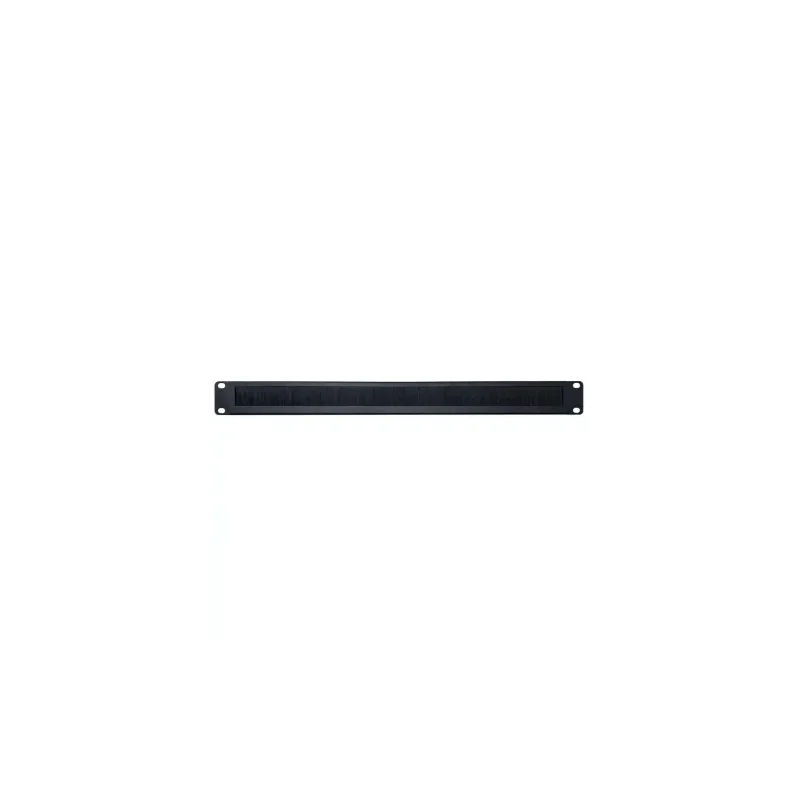
The 1U Brush Panel Without Base Plate is a cable management accessory designed for networking and server racks. Occupying a single rack unit, it provides a controlled opening through which cables can be routed between equipment, patch panels and vertical cable managers. Its brush strip closes around the cables passing through, keeping bundles neat and reducing the amount of open space at the front or rear of a cabinet.
Cabinet layouts often become crowded as new switches, routers, servers and patch panels are added. Loose cables can block airflow, complicate maintenance and make it hard to identify individual connections. A brush panel offers a simple solution. By guiding cables through a defined point and holding them in place, it helps keep the rack organised and easier to work in.
Key Features
- Single rack unit (1U) height, suitable for standard 19 inch cabinets
- Brush strip design to pass cables through while limiting gaps
- Supplied without a base plate, as a panel-only item
- Helps keep patch leads, data cables and power cords separated and tidy
- Simple, low-profile design that adds little bulk to the installation
Specifications
- Product type: brush cable management panel
- Height: 1U
- Configuration: without base plate
- Mounting: rack mounted in a standard 19 inch cabinet
- Category: Networking, Cabinets and Racks
Please check the product dimensions and mounting requirements against your cabinet before ordering, as details beyond those listed here are not specified in the product information.
Typical Uses
The panel suits a wide range of rack-based environments. In a network cabinet, it can sit above or below switches and routers to guide patch cables toward the correct ports. In a server rack, it helps route cables from equipment at the back of the cabinet, reducing clutter around power distribution and network connections.
It is also useful in comms rooms, office IT closets and data rooms where space is limited. A brush panel can separate cable groups, such as data and power, or provide a clean exit point for cables leaving the rack. Installers often use these panels to create a consistent cable routing pattern across several cabinets, making future moves, additions and changes faster to carry out.
Benefits of Good Cable Management
Well-managed cabling supports day-to-day operations. Cables that are secured and routed neatly are less likely to be damaged by accidental pulls or by equipment being slid in and out of the rack. Clear routing also makes it easier to trace connections when troubleshooting, which can reduce downtime. Restricting loose cables helps airflow around equipment, supporting stable operating conditions for active devices.
A brush panel adds only one rack unit of height, so it is a practical choice for installations where space must be used efficiently. Because it has no moving parts and few components, it requires no regular maintenance beyond keeping the area clear and checking that cables remain properly seated.
Installation Notes
Before fitting the panel, plan the cable routes so that the opening lines up with the equipment or cable path it is meant to serve. Use suitable rack screws and check that the panel sits level and secure. Because this model is supplied without a base plate, confirm that the chosen mounting arrangement suits your cabinet and equipment before installation. Leave room for future cables where possible, and avoid overfilling the opening so that the brush strip can still hold cables properly.