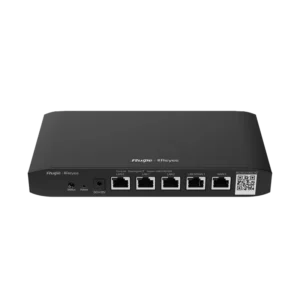
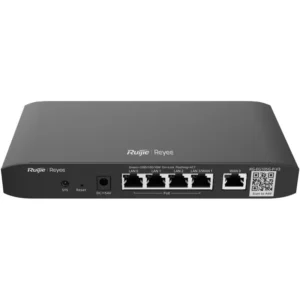
Ruijie RG-EG105G-P V2 5-Port Gigabit Cloud Managed PoE Router
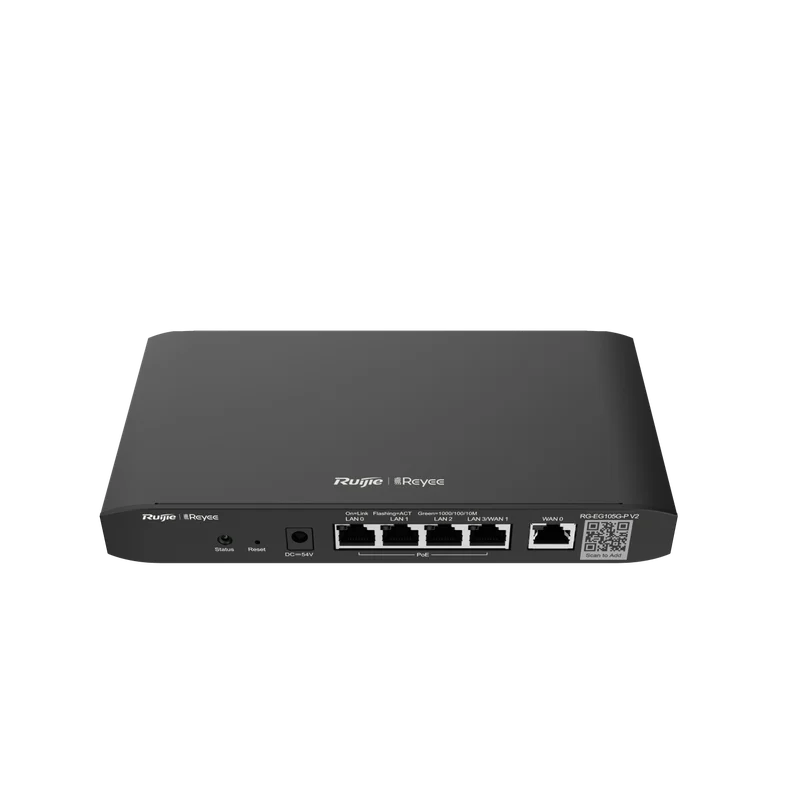
The Ruijie RG-EG105G-P V2 is a cloud managed router with five gigabit Ethernet ports and PoE support. It is part of Ruijie’s networking range and is aimed at small and medium businesses, branch offices and sites where a compact, remotely manageable router is needed at the network edge.
Routers sit between your internal network and the internet or other networks. They direct traffic, manage connections and provide the foundation for everything else on the local network, from workstations to wireless access points and security cameras. This model adds two features that simplify day-to-day operation: cloud management and power over Ethernet.
Key features
- Five gigabit Ethernet ports for wired connections at gigabit speed
- PoE support, so compatible devices can receive power over the same cable as their data
- Cloud managed, allowing remote configuration and monitoring through Ruijie’s cloud platform
- Suitable for small office, branch and remote site networks
- Compact device designed for desktop or wall-mounted installation in a network cabinet or office
Cloud management
Traditional routers are configured locally, which can mean travelling to the site for every change. A cloud managed router can be set up and monitored from a central interface. This helps IT staff or service providers handle several locations from one place, apply configuration changes consistently and respond to problems without waiting for an on-site visit. Always check the management features available with your particular licence or account setup before you rely on them.
Power over Ethernet
PoE allows a single network cable to carry both data and electrical power. This removes the need for a separate power socket beside devices such as wireless access points, IP cameras and some VoIP phones. Installation is simpler, cabling is reduced and devices can be placed where a power outlet is not available. Before connecting PoE devices, confirm that each device’s power requirement fits within the router’s total PoE capacity, as this varies by model and load.
Typical uses
- Connecting a small office or shop to the internet and internal network
- Linking a remote branch to a head office network
- Powering wireless access points to provide Wi-Fi coverage across a building
- Supplying power and data to surveillance cameras installed at entrances or outdoor points
- Supporting VoIP phones in an office environment
- Providing a managed network edge for businesses with multiple sites
Who it suits
This router suits organisations that want simple, centrally managed networking without a large IT infrastructure. It is a practical option for offices with a handful of users, sites that need reliable gigabit wired connections, and installations that combine routing with powered network devices. For larger networks with many users or advanced requirements, compare the model against your full network plan before purchase.
Installation notes
Place the router in a ventilated location with access to a power source and your internet connection. Connect the uplink to your internet service, then connect local devices to the remaining gigabit ports. Use good quality Ethernet cabling suited to gigabit speeds. Confirm the required cloud management setup and PoE budget before installing, so the router can be configured correctly from the start.