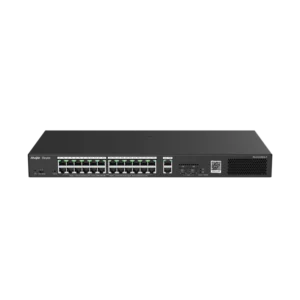
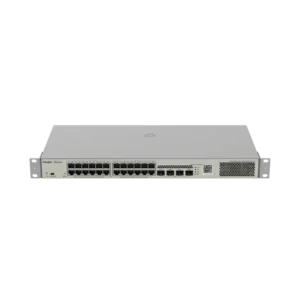
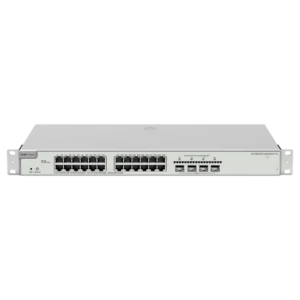
UNIVIEW 24 Port PoE Cloud Managed Switch 10/100
The UNIVIEW 24 Port PoE Cloud Managed Switch 10/100 is a network switch designed to form the core of a small or medium-sized wired network. It brings together 24 network ports, Power over Ethernet (PoE) support and cloud-based management in a single unit, making it a practical choice for organisations that need reliable connectivity for many devices.
Key features
- 24 network ports for connecting computers, cameras, phones and other devices
- Power over Ethernet (PoE) to supply power and data over the same cable
- 10/100 port speed for standard network traffic
- Managed switch functions for configuration and monitoring
- Cloud management for remote oversight of the network
- Brand: UNIVIEW
Power over Ethernet explained
Power over Ethernet allows a single network cable to carry both data and electrical power. This means PoE-compatible devices, such as IP cameras, wireless access points and VoIP telephones, can be installed in places where a nearby power socket is not available. Fewer power adapters mean less clutter, fewer points of failure and a simpler installation overall.
Managed and cloud management
A managed switch gives you control over how data moves through your network. Depending on the features available on the device, you can organise traffic, monitor port activity and adjust settings to suit your needs. Cloud management extends this capability, allowing the switch to be overseen from a remote location as part of a wider network, which is helpful for businesses with several sites or for IT staff who cannot always be on site.
Typical uses
- Powering and connecting IP surveillance cameras
- Supplying wireless access points across an office or building
- Connecting VoIP telephones and workstations
- Creating a central network hub for schools, small offices and retail premises
- Expanding an existing network with additional ports
Installation and planning
Before installing the switch, plan which devices will connect to it and how much power they will draw from the PoE ports. Place the unit in a well-ventilated location with access to a suitable power source and keep network cabling neat and labelled. Once connected, configure the management settings so that the switch fits your network layout and security requirements.
Why choose a managed PoE switch
An unmanaged switch simply passes traffic between devices. A managed PoE switch adds control and visibility, which becomes increasingly valuable as a network grows. Combining power and data delivery with managed features reduces the amount of equipment on site and gives IT staff a clearer picture of what is connected.
Before you order
The product description provided focuses on the switch’s port count, PoE capability, 10/100 speed and management features. For detailed information on power budget, uplink options, supported standards and warranty, please check the manufacturer documentation or contact the supplier before ordering.