TOSHIBA Surveillance Hard Drive, 2TB, 4TB, 6TB, 8TB or 10TB
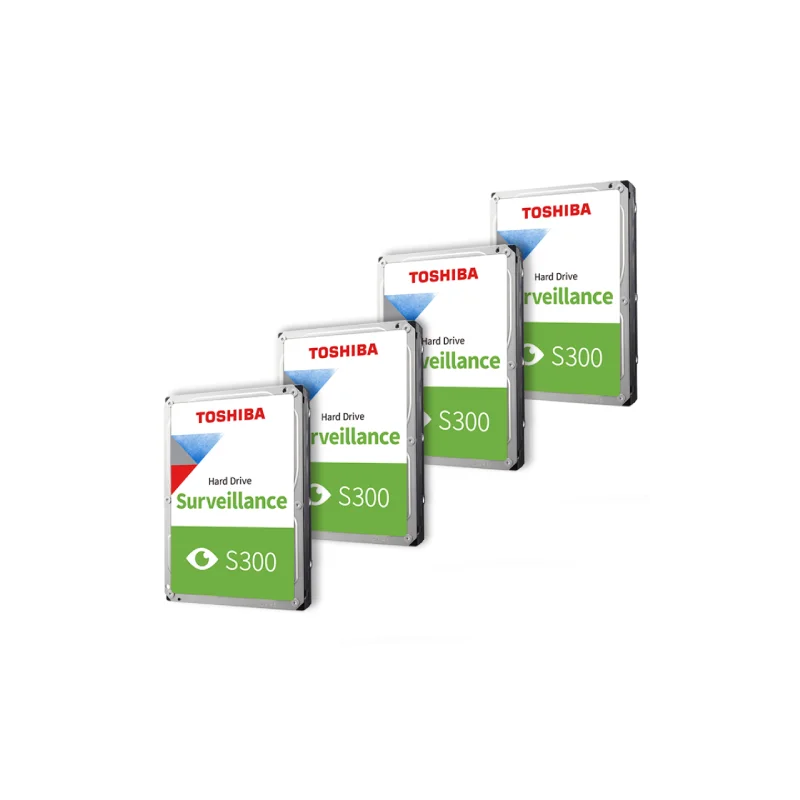
The TOSHIBA surveillance hard drive is a 3.5 inch internal hard drive for security and video recording systems. It is designed to hold footage from IP and analogue cameras, so that recordings can be kept for review, evidence or record keeping. It is a practical choice for homes, shops, offices and other sites that run a camera system.
Key features
- Brand: TOSHIBA
- Type: Surveillance hard drive
- Form factor: 3.5 inch
- Capacity options: 2TB, 4TB, 6TB, 8TB and 10TB
- Intended use: Security camera and video recording storage
Choosing the right capacity
Storage needs depend on the number of cameras, the resolution and frame rate of each camera, and how long footage must be kept. A larger drive lets you record for more days before the oldest footage is overwritten. A smaller drive costs less and suits a few cameras or shorter retention periods. If you are unsure, count your cameras, estimate the daily recording time and check the storage calculator offered by your recorder manufacturer.
Why a surveillance drive
A surveillance drive is built for recording tasks that run for long periods. Camera recorders write video data constantly, which differs from the occasional reading and writing of a typical office or home computer drive. Using a drive intended for this workload is a sensible choice for a camera system that is switched on day and night.
Installation
The drive mounts in a standard 3.5 inch bay. Many network video recorders and digital video recorders have a few bays, so you can add one or more drives to increase storage. Before installing, switch off the recorder, check the drive connection type required by your device and follow the manufacturer’s instructions for formatting the new drive inside the recorder.
Typical uses
- Storage for network video recorders (NVR) and digital video recorders (DVR)
- Recording footage from IP cameras and analogue CCTV cameras
- Expanding the storage of an existing camera system
- Building a new security system for a home, shop or office
Before you buy
Confirm that your recorder supports the capacity you want, since some older devices limit the maximum size per drive. Check the number of bays available in your recorder and plan for spare capacity to allow for future camera additions. Keep your recorder and drive in a ventilated place, and keep a regular backup of important footage elsewhere.