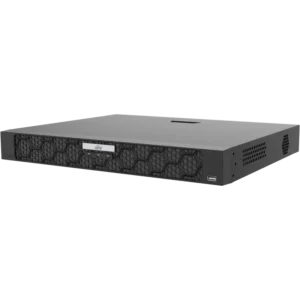
UNIVIEW NVR 16 Channel 2 SATA Bay Non-PoE
The UNIVIEW NVR 16 CH 2 SATA Bay Non-PoE is a network video recorder, often called an NVR, for CCTV systems that use IP cameras. An NVR receives the video streams from network cameras over the local network, records them to internal hard drives and lets you play back and manage that footage from one place. This model is designed for installations that need up to 16 camera channels in a single unit.
Key features
- 16 camera channels for IP camera recording
- 2 SATA bays for internal hard drives
- Non-PoE model: cameras are powered separately
- Engineered for CCTV applications
- Central recording, storage and playback
Channels and storage
The 16 channels let you connect a larger group of cameras to one recorder, which reduces the number of devices to manage on site. The two SATA bays hold the hard drives where recordings are stored. Storage needs depend on the number of cameras, their image settings and how many days of footage you want to keep. Plan the drive capacity before installation, and confirm which drives are suitable for continuous recording.
Non-PoE operation
The non-PoE designation means the recorder does not send power to cameras through the network cable. Each camera needs a suitable power supply or adapter. This arrangement is common where mains power is already present near each camera, or where the installer wants to control power separately for each device. If you plan to use power over Ethernet cameras, check whether a PoE model is the better choice for your site.
Typical uses
This NVR suits CCTV systems in retail shops, offices, warehouses, car parks, schools, industrial sites and residential complexes. It can serve as the central recorder for a mid-sized camera network, recording footage around the clock or on set schedules. Security staff and installers can use it to review events, export clips and check that cameras are working.
Installation considerations
Place the recorder in a secure, ventilated location with access to the network switch used by the cameras. Keep the unit away from water and heat sources. Make sure the network can carry the video traffic from all connected cameras, and allow enough bandwidth for live viewing and recording at the same time. Installing hard drives and configuring the system should be done by a qualified installer or IT technician who understands your network setup.
Why choose a central NVR
A central recorder keeps recordings in one location, which makes backup, access control and maintenance simpler than storing footage on each camera. It also supports a clear structure for growing systems: additional cameras can be added up to the channel limit, and footage stays organised in the same recorder. For businesses that want a dependable CCTV base, this UNIVIEW NVR offers a straightforward way to build and run a camera network.