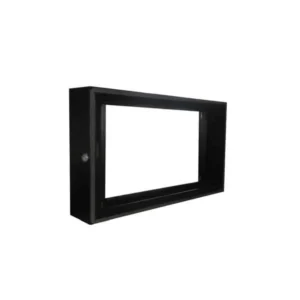
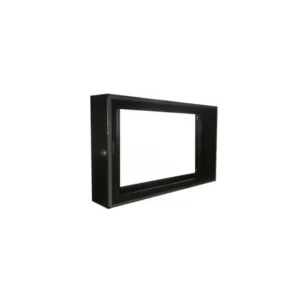
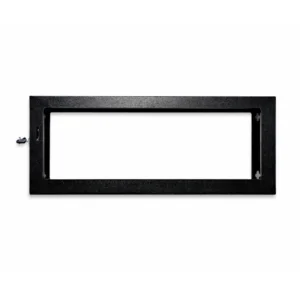
6U Wallbox 450 Deep Standard Pre-Coated Cabinet
The 6U Wallbox 450 Deep Standard Pre-Coated is a wall-mounted equipment cabinet for networking and IT hardware. It is designed for people who need a secure, tidy and space-efficient home for switches, routers, patch panels and other rack-mounted devices, without giving up a whole room or a floor-standing rack. The name describes the key points: six rack units of height, a wallbox style for wall mounting, a depth of 450, and a standard pre-coated finish.
What the name means
The “6U” in the product name refers to six rack units. A rack unit, or U, is the standard height measure for equipment mounted in a 19-inch rack, so the cabinet provides six units of usable mounting height. The “Wallbox” name indicates that the cabinet is intended to be mounted on a wall rather than standing on the floor. The “450 Deep” part of the name refers to the depth of the cabinet, which determines how far equipment can project into the enclosure. The “Standard Pre-Coated” description refers to the finish: the cabinet is supplied with a standard pre-coated surface, ready for use.
Key features
- Six rack units (6U) of mounting height for rack-mounted equipment
- Wall-mounted wallbox design to save floor space
- Depth of 450 for accommodating standard equipment and cabling
- Standard pre-coated finish for a clean, ready-to-use appearance
- Suitable for networking and IT equipment in offices, comms rooms and small sites
Why a wall cabinet makes sense
Floor-standing racks take up valuable room and can be awkward to fit into small spaces. A wall-mounted cabinet keeps equipment off the floor, away from foot traffic and easier to reach for maintenance. It is a sensible choice for a small server or network point, a reception area, a retail back office, a school or community space, or any location where a full rack would be too large. Mounting the cabinet at a comfortable working height also makes it easier to connect and disconnect cables and to check status lights on equipment.
Typical uses
- Housing a small business or home-office network with switches and routers
- Organising patch panels and structured cabling in a comms cupboard
- Keeping a broadband router, modem and network switch together in one enclosure
- Providing a tidy home for a CCTV or security recorder alongside network equipment
- Creating a dedicated distribution point for telephone and data lines
Planning your installation
Before buying, confirm that the devices you plan to install will fit within the six-unit height and the 450 depth. Measure the equipment, including any cable bends and connectors that sit at the rear. Consider the weight of the cabinet once fully loaded and make sure the wall and fixings you use are strong enough to carry it. Allow space at the front for doors or access and at the back and sides for cable routing and airflow. Keeping equipment ventilated helps prevent overheating, which is especially important for devices that run continuously.
Cable management and access
Good cable management keeps a rack or wallbox tidy and easier to service. Plan where power and data cables will enter the cabinet, use cable tidies or trunking where practical, and label both ends of each cable. A well-organised cabinet makes fault finding quicker and reduces the chance of accidental disconnection during maintenance.
Care and maintenance
Keep the cabinet clean and free of dust, which can build up around fans and vents. Check fixings periodically, particularly after any work that involves adding or removing equipment. Keep the area around the cabinet clear so that heat can dissipate and so that access remains simple for the next time work is needed.
The 6U Wallbox 450 Deep Standard Pre-Coated Cabinet is a practical, space-saving choice for organising networking and IT equipment on a wall. Check the dimensions of your equipment and your mounting location before ordering, and it will provide a neat, secure home for your hardware.