Tenda 8 Port Desktop Switch for Expanding Your Wired Network
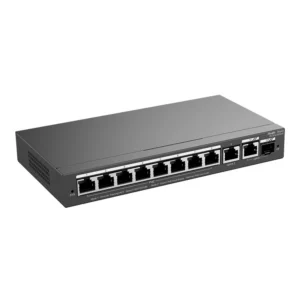
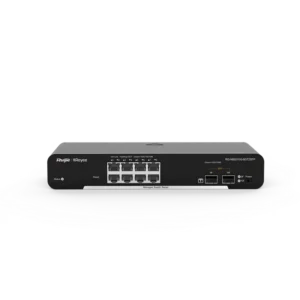
The Tenda 8 Port Desktop Switch is a network switch for anyone who needs more wired connections than their router or existing network point provides. Its eight ports allow several Ethernet-enabled devices to share one network connection, making it a practical addition to home, home office and small business environments.
What a network switch does
A switch sits between your router and your devices. It reads the address of each data packet and sends it only to the port where the destination device is connected. This keeps traffic efficient and allows multiple devices to communicate at the same time without having to share a single cable connection.
Key features
- Eight Ethernet ports for connecting computers, printers, network storage and other wired devices
- Desktop design that sits on a table, shelf or desk
- Plug-and-play use for basic networking without complicated configuration
- Compact footprint suited to limited space
- Supplied by Tenda, a brand known for networking equipment
Typical uses
In a home, the switch can connect a desktop computer, a gaming console, a smart TV and a network-attached storage drive to a router that has too few ports. In a home office, it helps link a workstation, a printer, a scanner and a telephone system or other office equipment. In a small workshop or shared study space, it allows several users to work with wired connections at a single location.
Setting up the switch
Place the switch on a flat, stable surface with enough space around it for air to circulate. Connect one port to a free LAN port on your router or to another network outlet using a standard Ethernet cable. Then connect your devices to the remaining ports. Power on the switch and check that the link lights show a connection for each device in use.
Why choose a wired switch
Wired connections generally offer more consistent speed and reliability than wireless links, especially for devices that do not move. Placing stationary equipment on a switch can free up capacity on your Wi-Fi network for phones, tablets and laptops that need mobility.
Placement tips
- Keep the switch away from heat sources and direct sunlight
- Leave space around the housing so it can stay cool
- Use good quality Ethernet cables of suitable length for each connection
- Keep cables tidy and labelled to make future changes easier
Who it suits
This switch is a good fit for households with several wired devices, home offices, students, creative professionals working from home and small teams that need a simple expansion of their local network. It is also useful as a temporary solution at events or in rooms where extra wired points are needed.
If you need more than eight ports, a larger switch or a network with multiple switches may be more appropriate. For most desktop and small-network situations, the Tenda 8 Port Desktop Switch offers a straightforward way to add the connections you need.