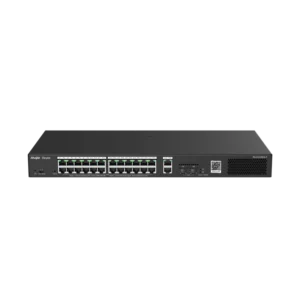
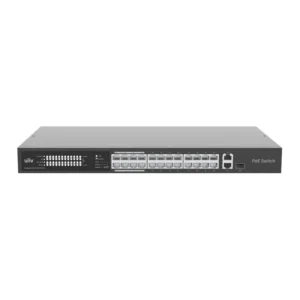
TENDA SWITCH 8 PORT GB POE 120W + 2X SFP
The TENDA SWITCH 8 PORT GB POE 120W + 2X SFP is a network switch from TENDA that brings together power and data for connected devices. It is designed to be the central connection point of a small or medium-sized local network, where it links computers, phones, cameras, access points and other equipment. Eight gigabit ports handle the device connections, and two SFP ports handle uplinks to other network parts.
Key features
- Eight gigabit (GB) Ethernet ports for connecting devices at gigabit speed
- PoE (Power over Ethernet) on the device ports, with a total power budget of 120W
- Two SFP (small form-factor pluggable) ports for fibre or other SFP uplink modules
- Plug-and-play connection for everyday local network use
Power over Ethernet
PoE allows the switch to supply power to compatible devices through the same Ethernet cable that carries their data. This removes the need for a separate power adapter at each device and makes it easier to place wireless access points, IP cameras and VoIP phones where cables run, not where power sockets are. The 120W total budget determines how many powered devices can run at the same time. Add up the power requirements of the devices you plan to connect and make sure they stay within this limit.
Uplink connectivity
The two SFP ports allow the switch to connect to other network equipment over longer distances or through fibre. Compatible SFP modules are sold separately and are chosen according to the cable type and distance needed. Using SFP uplinks can help link separate switch closets, floors or buildings while keeping the main network organised.
Typical uses
- Office networks connecting workstations, printers and phones
- Powering wireless access points across an office or shop
- IP camera systems that need power and data over one cable
- Reception areas, meeting rooms and small branch sites
- Extending a network to another building or floor using SFP uplinks
Installation tips
Place the switch in a dry, ventilated location with access to a power outlet and enough space for cables. Connect the uplink from your router or core switch to one of the SFP ports or a gigabit port, and then connect end devices to the remaining ports. Label cables and ports to make future changes easier. Before you buy, review the full product specifications from the supplier, including the PoE standard supported, switching capacity and mounting options, so the switch matches your network plan.
This switch is a practical choice for anyone who wants to simplify cabling and reduce the number of power adapters in a small network, while keeping room for expansion through its SFP uplinks.