Ruijie BRIDGE OUTDOOR PAIR 10DBI 500M: outdoor wireless link for remote buildings and sites

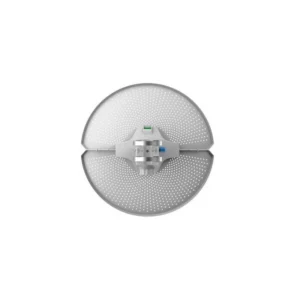
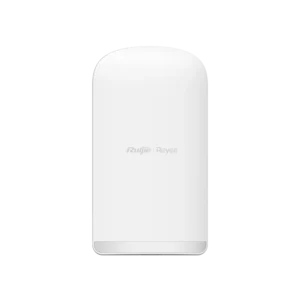
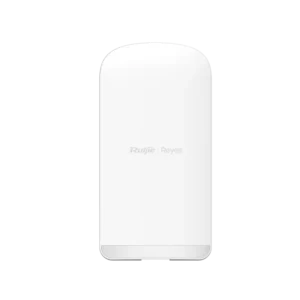
The Ruijie RG-EST100-E BRIDGE OUTDOOR PAIR 10DBI 500M is a pair of outdoor wireless bridge units that create a point-to-point network link between two locations. Instead of laying cable through the ground or across open areas, you mount one unit at each end, point them at each other and connect each unit to the local network. It is a practical choice for extending a network across a distance that would otherwise need trenching, ducting or costly cabling.
Product overview
The kit is sold as a matched pair, so both ends come from the same range and are intended to work together. The bridge is built for outdoor installation and is rated for a distance of up to 500 metres. The integrated 10 dBi antenna gain focuses the radio signal into a directional beam, which makes the link more robust over a longer distance when the two units are aligned correctly.
Key features and specifications
- Sold as a pair: two outdoor bridge units for a point-to-point link
- Designed for outdoor installation
- Rated range: up to 500 metres
- Antenna gain: 10 dBi
- Brand: Ruijie
- Model reference: RG-EST100-E
Further technical details, such as radio frequency band, data rate, power supply type, ingress protection rating and mounting kit contents, were not included in the supplier information for this listing. Please check the manufacturer’s documentation before installation.
How the link works
A bridge link connects two network segments wirelessly. Each unit is connected by cable to a local switch, router or device, and the two units communicate with each other across the air gap. Because the link is directional, the antennas need to face each other with a clear line of sight. Obstacles such as trees, buildings, vehicles or hills can reduce performance, so a site survey before installation is recommended.
Installation considerations
Plan the mounting positions at both ends before you begin. Choose sturdy poles, walls or roof fixtures that will hold the units steady in wind. Check that there is a clear path between them, and allow for the height needed to clear obstacles. Mount the units so that the antennas are aligned as accurately as possible, then test the signal strength before fixing everything permanently. Consider how cables will be routed and protected from weather and physical damage.
Typical uses
- Connecting a security camera system at a remote gate, car park or perimeter to the main network
- Extending a company network to a workshop, warehouse, garage or outbuilding
- Providing network access to a second site on the same property without cable trenching
- Linking two buildings across a road or open yard where cable installation is difficult
- Adding temporary or semi-permanent connectivity for events, construction sites or seasonal operations
Who it is for
The product suits IT managers, installers, facilities teams and network specialists who need a reliable outdoor link between two fixed points. It is also useful for homeowners or small businesses with a larger property who want to connect a remote building. Because a point-to-point link depends on distance, alignment and environment, it is best planned with a qualified installer who can confirm the suitability of the location.
Before you order
Measure the distance between the two points, confirm that the line of sight is clear, and check the power and cabling arrangements at each end. Make sure the network equipment connected to each bridge is compatible with the kit. If you are unsure whether this pair will meet your requirements, contact your supplier or installer for advice before purchase.