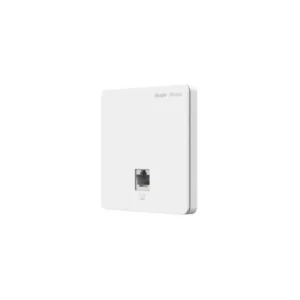
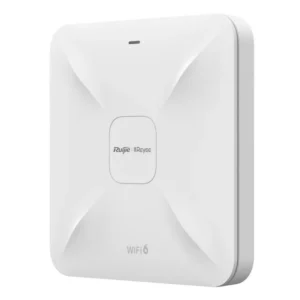
Ruijie RG-AIRMETRO460F 1 FE Port CPE with 15 km Range

The Ruijie RG-AIRMETRO460F is a customer premises equipment (CPE) unit for wireless networking. It is designed for the customer end of a point-to-point or point-to-multipoint wireless link, giving a site a wired Ethernet connection that is carried over the air rather than by cable. The product is listed with a single Fast Ethernet port and a rated link distance of 15 km.
This page describes the product as supplied, with the details available from the supplier. Where a specification is not stated, it is not claimed here. Confirm any further detail with the supplier before relying on it.
Key features
- Type: customer premises equipment (CPE) for wireless networking
- Wired interface: 1 x Fast Ethernet (FE) port, 100 Mbps standard
- Rated link distance: 15 km
- Brand: Ruijie
- Product family: Ruijie wireless access and networking equipment
What a CPE does
In a wireless network, the CPE is the device installed at the end user location. It communicates with a base station or access point at the other end of the link and converts that wireless traffic into a standard Ethernet connection for local equipment. This means the cabling inside the building or site stays simple, and the long-distance part of the connection is handled by radio.
Connectivity
The single FE port accepts a standard Ethernet cable and connects one device directly. Typical connections include a computer or workstation, an IP camera, a access control or building management controller, a VoIP handset, or a small unmanaged switch that serves several devices. Because there is only one port, a switch is needed if more than one wired device must be connected at the same location.
Range and site planning
The rated distance of 15 km is a long reach, but real results depend on the terrain, obstacles, antenna alignment, and the equipment at the other end of the link. For best performance, plan the line of sight between the two ends, keep the unit clear of metal obstructions where possible, and check the mounting height and position before installation. A site survey is recommended for longer links.
Typical uses
- Connecting a remote building or outbuilding to a main network without trenching cable
- Linking outdoor security cameras or sensors to a recording system
- Providing a network connection to a yard, car park, farm, or industrial site
- Bridging a network across a road, a river, or a site boundary
- Adding a temporary or fast-deployed network link for an event or project
Installation notes
Mount the unit securely in a location with a clear view of the base station it serves. Route the Ethernet cable from the unit to the device with care to avoid damage and interference, and protect any outdoor connections from moisture. Make sure the power source matches the unit before connecting it, and test the link after installation to confirm the connection is stable.
Who it suits
This CPE suits installers, system integrators, and IT staff who need a wireless link to a remote point on a site. It is also useful for facility managers who want to add network access to a building that cannot easily be cabled. Buyers should confirm compatibility with the base station and network design they already use.