GENIUS Wireless Mouse W-L MOUSE: Cordless Pointing Device for Everyday Computing
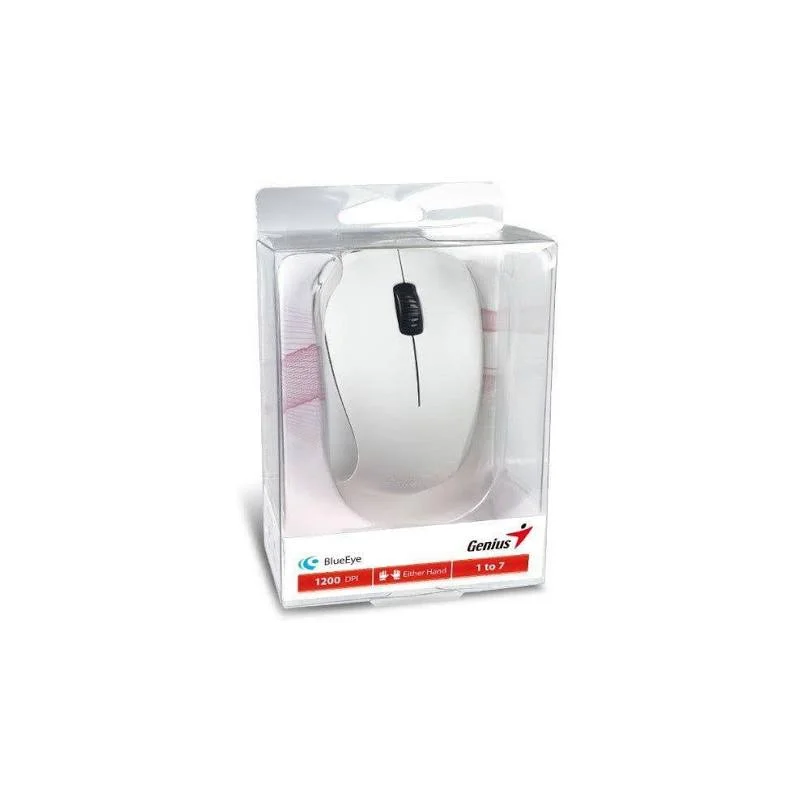
The GENIUS Wireless Mouse, article number W-L MOUSE, is a cordless computer mouse intended for users who want reliable pointer control without the clutter of a cable. It belongs to the computer accessories range and is suitable for a wide variety of tasks, from routine office work to casual home use.
A wireless mouse removes the cable that normally links the device to the computer. This keeps the desk clear, reduces the risk of a cable catching on objects, and allows you to move the mouse freely across the work surface or sit more comfortably away from the computer.
Key Features
- Wireless (cordless) operation for a clutter-free desk
- Standard computer mouse for pointing, clicking and scrolling
- Described by the supplier as a premium accessory
- Brand: GENIUS
- Article number: W-L MOUSE
Typical Uses
The mouse is well suited to general computing. In a home office it can handle email, video calls, spreadsheets and document editing. In a school or training room it provides a simple input device for students at shared computers. For laptop users it offers a more comfortable alternative to a touchpad during longer sessions at a desk.
Wireless mice are also a sensible choice for presentation setups, reception desks and point-of-sale stations where the computer is placed out of easy reach and a long cable would be impractical.
Who It Is For
This product is aimed at anyone who uses a computer regularly and prefers a cordless input device. It is a practical addition for people replacing an older wired mouse, equipping a new workstation, or tidying up a crowded desk. Because it is a general-purpose pointing device, it does not require specialist knowledge to use.
Before You Order
The product description supplied with this listing is brief. If you need specific details such as the connection method, the number of buttons, the sensor type, the battery arrangement, the dimensions, the weight or the system requirements, please check the packaging or the manufacturer’s documentation. Confirming compatibility with your operating system and existing equipment before purchase is recommended.
Care and Handling
To keep the mouse working well, keep the sensor on the underside clean and free of dust, use it on a suitable surface, and avoid exposing it to liquids. If the device is battery powered, remove the batteries when it will not be used for a long period. Follow any care instructions included with the product.