HDMI Splitter 1 In 2 Out PR-GSP102(4K)
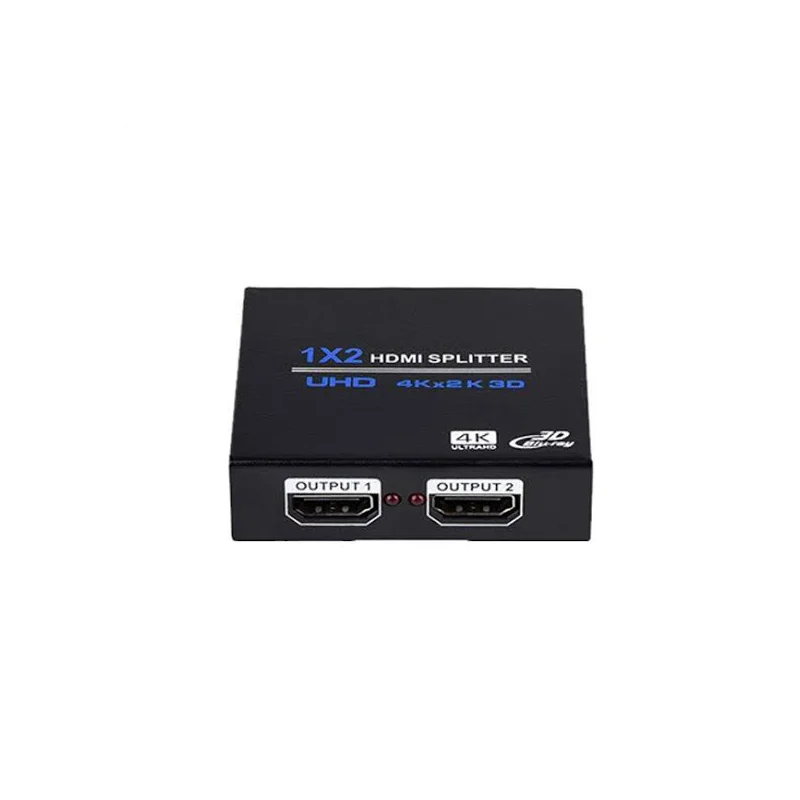
The HDMI Splitter 1 In 2 Out is a compact AV accessory that distributes one HDMI source to two HDMI displays. It is designed for situations where the same image or video needs to be seen on two screens at once. Rather than duplicating your source equipment or running additional cables back to a computer or player, the splitter gives you two outputs from a single input, keeping the setup tidy and easy to manage.
The product is part of a range of AV and IT accessories supplied for professional and business use. Its article number, PR-GSP102(4K), indicates the 4K version of the splitter. HDMI is the standard digital connection for video and audio on many monitors, televisions, projectors and media devices, so this splitter fits into a wide range of existing equipment.
Key features
- One HDMI input and two HDMI outputs
- Shows the same picture on two displays at the same time
- HDMI connections on all ports for compatibility with standard HDMI cables and devices
- 4K model according to the article number PR-GSP102(4K)
- Simple plug-and-play connection with no complicated configuration
Specifications
Please check the full product specifications from the supplier before ordering, including the maximum supported resolution, refresh rate, HDCP support, power requirements and dimensions. The short description supplied with this product does not list these details, so confirm them against your display and source equipment to avoid compatibility issues.
Typical uses
The HDMI Splitter 1 In 2 Out suits a range of settings where one source must reach more than one screen. Common examples include:
- Meeting rooms and boardrooms where presentations appear on a main screen and a secondary display
- Reception and waiting areas where the same information is shown in two locations
- Training rooms and classrooms where the instructor screen is mirrored to a second monitor
- Retail and hospitality displays showing identical promotional content on several screens
- Control rooms and monitoring points where operators need the same feed on two displays
- Home cinema or home office setups where one media player feeds two televisions or monitors
Setting up the splitter
Setting up the splitter is straightforward. Start by switching off the source device and all displays. Connect your HDMI source to the single input port on the splitter. Next, connect each display to one of the two output ports using suitable HDMI cables. Once everything is connected, power on the equipment and select the correct input on each display. If the picture does not appear, check cable connections, make sure the source is outputting video, and confirm that the displays support the resolution being sent.
Cable quality and layout
The quality of the HDMI cables affects the final picture, especially over longer distances or at higher resolutions. Use good quality cables that are rated for the resolution you need. Place the splitter where it has space for airflow and easy access to its ports, and keep cable runs neat so they can be maintained or replaced later.
Who it is for
This splitter is useful for installers, IT technicians, AV integrators and business users who need a dependable way to share one HDMI source across two screens. It is also suitable for anyone who wants a simple, low-maintenance solution for mirroring content in a home or office environment.
With its clear one-in, two-out design and HDMI connectivity, the HDMI Splitter 1 In 2 Out offers a practical way to extend the reach of your video source without adding complexity to your setup.