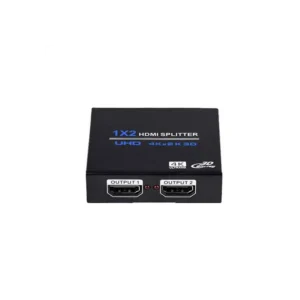
HDMI Splitter 1 In 4 Out (PR-GSP104(4K))

The HDMI Splitter 1 In 4 Out, article PR-GSP104(4K), is a single-input, four-output HDMI splitter. It takes one HDMI signal from a source device and distributes it to four HDMI outputs, so the same image can be shown on up to four displays at once.
Many setups need the same content in more than one place. Instead of buying a separate source for each screen, one player or computer can drive several displays through this splitter. It keeps the set-up simple: one source, one splitter, and HDMI cables to each display.
Key features
- One HDMI input for the source device
- Four HDMI outputs for connected displays
- Distributes the same picture to every output
- Designed for HDMI cable connections
- Model reference PR-GSP104(4K)
Typical uses
The splitter is useful wherever identical content must be seen in several locations. Common examples include:
- Meeting rooms and conference areas with multiple monitors
- Reception desks and waiting areas showing information screens
- Classrooms and training rooms where students need to see the same display
- Retail counters and shop windows with several screens
- Control rooms and monitoring stations
Connecting the splitter
Connect your HDMI source to the single input port. Then connect HDMI cables from the four output ports to your displays. Power on the source and displays, and select the matching HDMI input on each screen. Because the splitter copies one signal to all outputs, every connected display shows the same picture from the source.
Choosing the right setup
Before ordering, check that your source and each display have HDMI connections and that the displays support the resolution your source outputs. Make sure you have suitable HDMI cables for each output run. If you need a different number of outputs, compare other splitter models in our HDMI range.
The HDMI Splitter 1 In 4 Out is a practical choice for anyone who needs one source shown on four screens with a simple, direct connection.