TENDA 5 Port Desktop Switch Gigabit
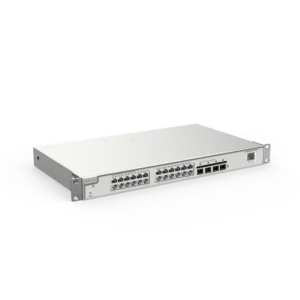
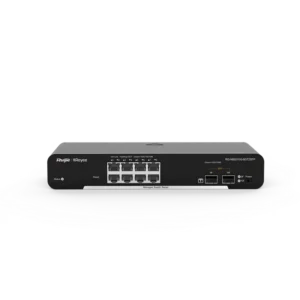
The TENDA 5 Port Desktop Switch Gigabit is a desktop network switch designed to expand a wired local area network. It offers five Gigabit Ethernet ports, allowing several computers, printers, network-attached storage devices and other wired equipment to communicate with each other and with your router or internet connection.
Networks often run out of connection points. A router may have only four Ethernet ports, or the cabling in a room may need to serve more devices than the wall outlet allows. A switch like this solves that problem by turning one connection into five, creating a simple hub of wired traffic in a single location.
Key features
- Five Gigabit Ethernet ports for fast wired connections
- Desktop form factor for placement on a desk, shelf or cabinet
- Plug-and-play operation with no software installation
- Suitable for connecting computers, consoles, printers, cameras and storage devices
- Compact housing that fits easily into home and office spaces
Specifications
- Type: Desktop network switch
- Number of ports: 5
- Port speed: Gigabit (1000 Mbps)
- Connection method: Standard Ethernet cables
- Installation: Connect power and network cables
How it works
The switch learns which device is connected to each port and forwards data only to the port that needs it. This keeps traffic efficient and reduces unnecessary congestion on the network. Because the switch handles data between ports at Gigabit speed, file transfers between local devices can be significantly faster than over older 100 Mbps connections.
For best results, use good quality Ethernet cables that support Gigabit speeds, such as Cat5e or Cat6. The speed of each connection also depends on the capabilities of the devices plugged in, so every device should support Gigabit to benefit fully from the switch.
Typical uses
In a home, the switch is useful for connecting a desktop computer, a gaming console, a smart TV and a network storage drive to the router. In a small office, it can link several workstations, a shared printer and a telephone system to a single network. It is also helpful in workshops, studios and meeting rooms where wired devices need a dependable connection.
Because the switch requires no configuration, it suits users who want to add capacity without involving an IT specialist. Place it near the devices it serves, keep it ventilated, and use short, tidy cable runs to keep the network neat and easy to troubleshoot.
Why choose a desktop switch
A desktop switch is the simplest way to expand a wired network. It does not require a rack, does not need special mounting, and can be moved easily if your layout changes. For many users, this combination of simplicity, speed and flexibility makes it a practical addition to any network.